Client Document Collection for CA Firms: How to Organise, Track and Automate the Entire Process
Ask any CA firm employee what consumes a significant part of their working day, and you will often hear a familiar answer: following up with clients for documents.
A bank statement is missing. A client has not shared the sales register. Another has sent an incomplete invoice. Someone else promised to send the required information yesterday but has not responded.
Meanwhile, filing deadlines are approaching.
For a CA firm handling 100, 300 or even 1,000 clients, collecting documents is not a small administrative activity. It is an ongoing operational process that directly affects employee productivity, turnaround time and the firm's ability to complete assignments on schedule.
The problem is rarely that clients refuse to cooperate. More often, the firm lacks a structured system for requesting, tracking, receiving and organising documents.
Many firms still manage this through individual WhatsApp conversations, phone calls, emails and Excel spreadsheets.
This guide explains how to build a more efficient client document collection system for your CA firm, including practical checklists, follow-up workflows, automation opportunities and ways to improve document management.
1. Why client document collection becomes a major problem for CA firms
Consider a firm managing 250 recurring GST clients.
Every month, the team needs to collect relevant information from clients, depending on their business activities and filing requirements.
This might include:
Sales registers.
Purchase registers.
Sales and purchase invoices.
Credit and debit notes.
E-way bill information, where applicable.
Bank statements.
Expense details.
Other supporting information required for reconciliation and filing.
Now imagine that 40 clients have not submitted all their documents.
Employees must identify the missing information, contact the relevant clients, record responses and follow up again.
This creates several operational challenges.
1.1 Documents arrive through multiple channels
One client sends documents through WhatsApp.
Another sends an email.
A third shares a Google Drive link.
Someone else hands over physical documents at the office.
When there is no central process, employees spend unnecessary time searching through different communication channels.
1.2 Nobody knows exactly what is pending
A client might have shared four out of five required documents.
However, if the employee only records that the documents have been received, the missing fifth document can easily be overlooked.
The firm needs to track document-level completion rather than simply recording whether a client has responded.
1.3 Follow-ups depend on individual employees
An employee remembers to contact one client but forgets another.
Sometimes a manager assumes the employee has followed up, while the employee assumes someone else is handling it.
Without clear ownership, the process becomes unreliable.
1.4 Documents are difficult to retrieve
Files named IMG_2026.jpg, Document.pdf or Final_Final_2.xlsx do not make a useful document management system.
Employees need to identify the client, document type and relevant financial year quickly.
1.5 Last-minute document collection creates unnecessary pressure
When documents arrive just before deadlines, employees have less time to verify information, prepare returns and complete internal reviews.
A structured collection process helps identify missing information earlier.
2. Create standard document checklists for every service
The first step is to stop requesting documents randomly.
Every service should have a standard checklist that employees can use when communicating with clients.
This ensures that clients understand exactly what is required.
Example: GST document collection checklist
A monthly GST document checklist may include:
| Document | Purpose |
|---|---|
| Sales register | Review outward supplies |
| Purchase register | Review inward supplies |
| Sales invoices | Verify transaction details |
| Purchase invoices | Support purchase reconciliation |
| Credit/debit notes | Account for adjustments |
| E-way bill information | Relevant movement and transaction checks |
| Bank statements | Additional reconciliation where required |
The exact requirements depend on the client's business, GST registration, accounting arrangements and the work being performed.
Example: TDS document collection checklist
Depending on the nature of the assignment, the firm may require:
Details of payments made.
Details of tax deducted.
Relevant challan information.
PAN details of deductees.
Applicable deduction information.
Previous return acknowledgements.
Supporting payment records.
Example: Income Tax Return document collection checklist
For an individual taxpayer, requirements may include:
PAN details.
Form 16, where applicable.
Bank statements.
Form 26AS.
Annual Information Statement (AIS).
Investment and deduction proofs, where applicable.
Capital gains statements, where applicable.
Details of other income.
Previous return information, where relevant.
For business taxpayers, additional accounting records, financial statements and supporting information may be required.
Important: These are practical examples, not universal statutory document requirements. The checklist should be customised to each engagement and updated when applicable rules change.
3. Build a client-wise document tracking system
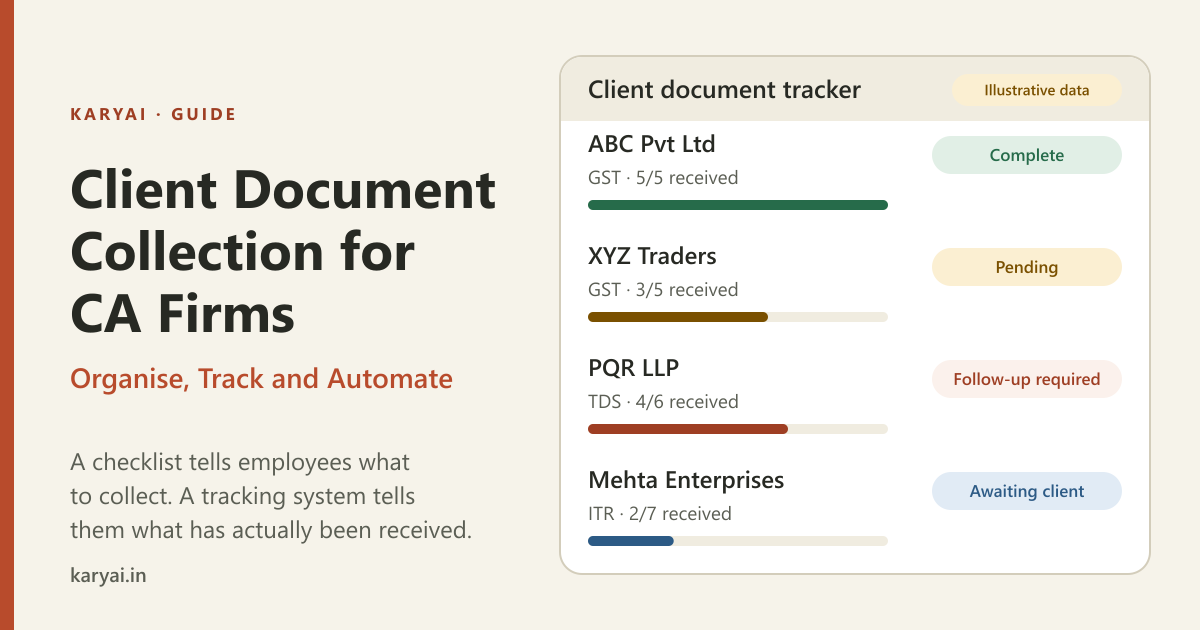
A checklist tells employees what to collect.
A tracking system tells them what has actually been received.
For every client, create a record containing:
Client name.
Service or assignment.
Relevant financial year or period.
Required documents.
Documents received.
Documents pending.
Assigned employee.
Last follow-up date.
Next follow-up date.
Assignment status.
Example: Client document tracker
| Client | Service | Documents | Status | Owner |
|---|---|---|---|---|
| ABC Pvt Ltd | GST | 5/5 received | Complete | Employee A |
| XYZ Traders | GST | 3/5 received | Pending | Employee B |
| PQR LLP | TDS | 4/6 received | Follow-up required | Employee C |
| Mehta Enterprises | ITR | 2/7 received | Awaiting client | Employee A |
Illustrative data.
This gives managers a much clearer picture of the collection process.
Instead of asking employees to manually report every client interaction, managers can review which assignments are blocked and what action is required.
4. Establish a systematic client follow-up process
Most CA firms already follow up with clients.
The problem is that follow-ups are often inconsistent.
One employee sends three reminders in a day. Another waits a week. A third forgets completely.
A standard follow-up schedule makes the process more professional.
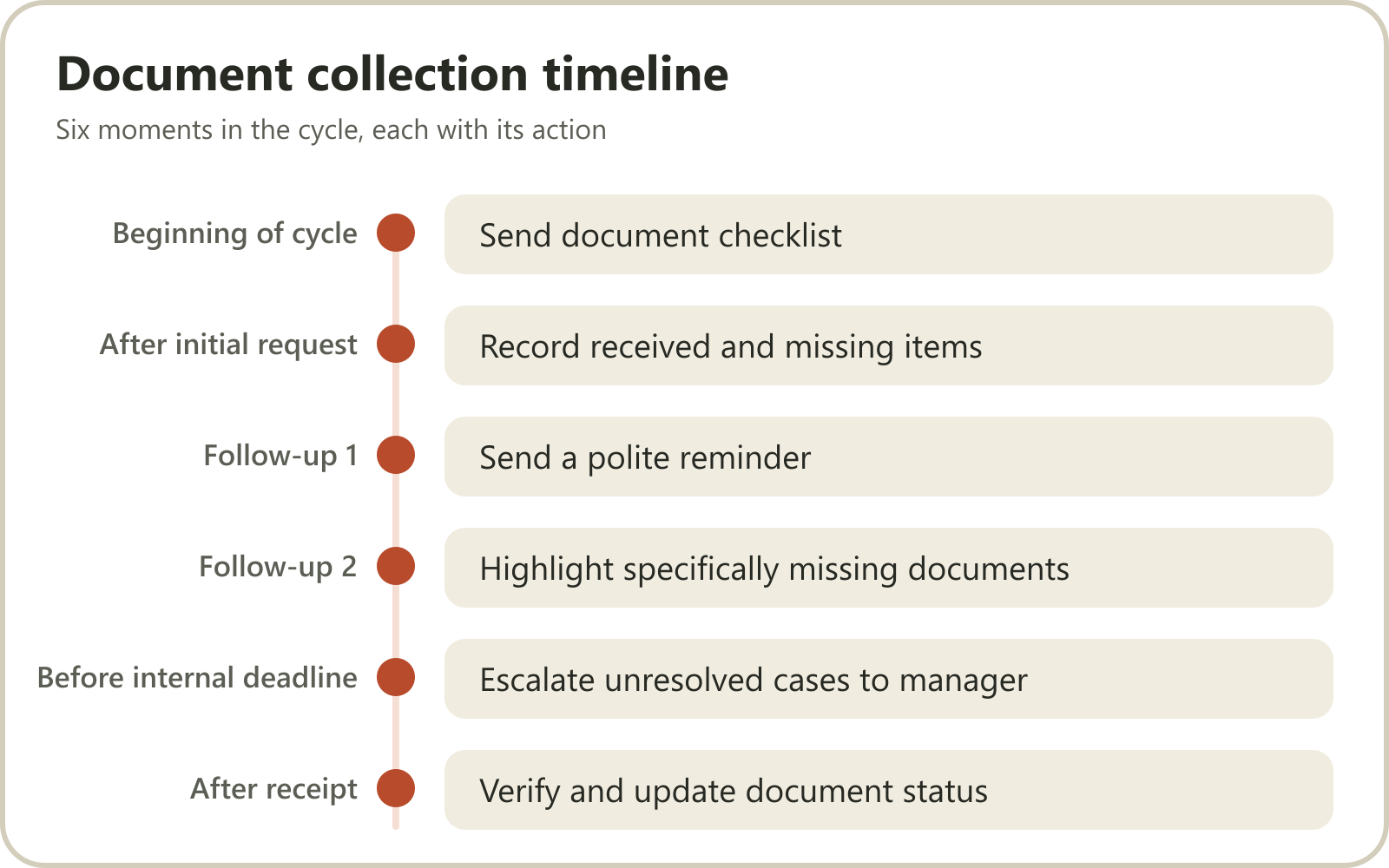
A practical document collection timeline
| Timing | Action |
|---|---|
| Beginning of cycle | Send document checklist |
| After initial request | Record received and missing items |
| Follow-up 1 | Send a polite reminder |
| Follow-up 2 | Highlight specifically missing documents |
| Before internal deadline | Escalate unresolved cases to manager |
| After receipt | Verify and update document status |
The exact timing should depend on the service and statutory deadlines.
Avoid sending unnecessary reminders to clients who have already submitted everything.
Example WhatsApp messages for CA firms
Message 1: Initial document request
"Hello [Client Name],
We are starting the documentation process for your monthly GST work.
Kindly share the following documents for [Month]:
Sales register
Purchase register
Relevant invoices
Credit/debit notes, if applicable
Please share the information by [Internal Deadline] so our team has sufficient time for processing and review.
Thank you."
Message 2: First reminder
"Hello [Client Name],
A gentle reminder regarding the documents required for your [Month] GST work.
We have received the following:
Sales register: Received
Purchase register: Pending
Supporting invoices: Received
Kindly share the pending purchase register so we can proceed."
Message 3: Escalation
"Hello [Client Name],
We are still awaiting the following information required to complete your assignment:
[Pending Documents]
Our internal processing deadline is approaching. Please share the pending information or let us know if you need any clarification.
Thank you."
These messages are professional, specific and action-oriented.
They also make it easier for clients to understand what they need to do.
5. Use WhatsApp more systematically for document collection
WhatsApp is already a familiar communication channel for many Indian businesses.
Clients use it to contact their CA, ask questions, share information and receive updates.
However, using WhatsApp without a structured process can create operational problems.
Consider these situations:
Employees use their personal WhatsApp accounts for client communication.
Important documents remain buried in old conversations.
Multiple employees communicate with the same client.
No central record exists of what was requested.
Follow-ups depend on someone remembering the conversation.
The solution is not necessarily to stop using WhatsApp.
It is to connect communication with a proper internal management process.
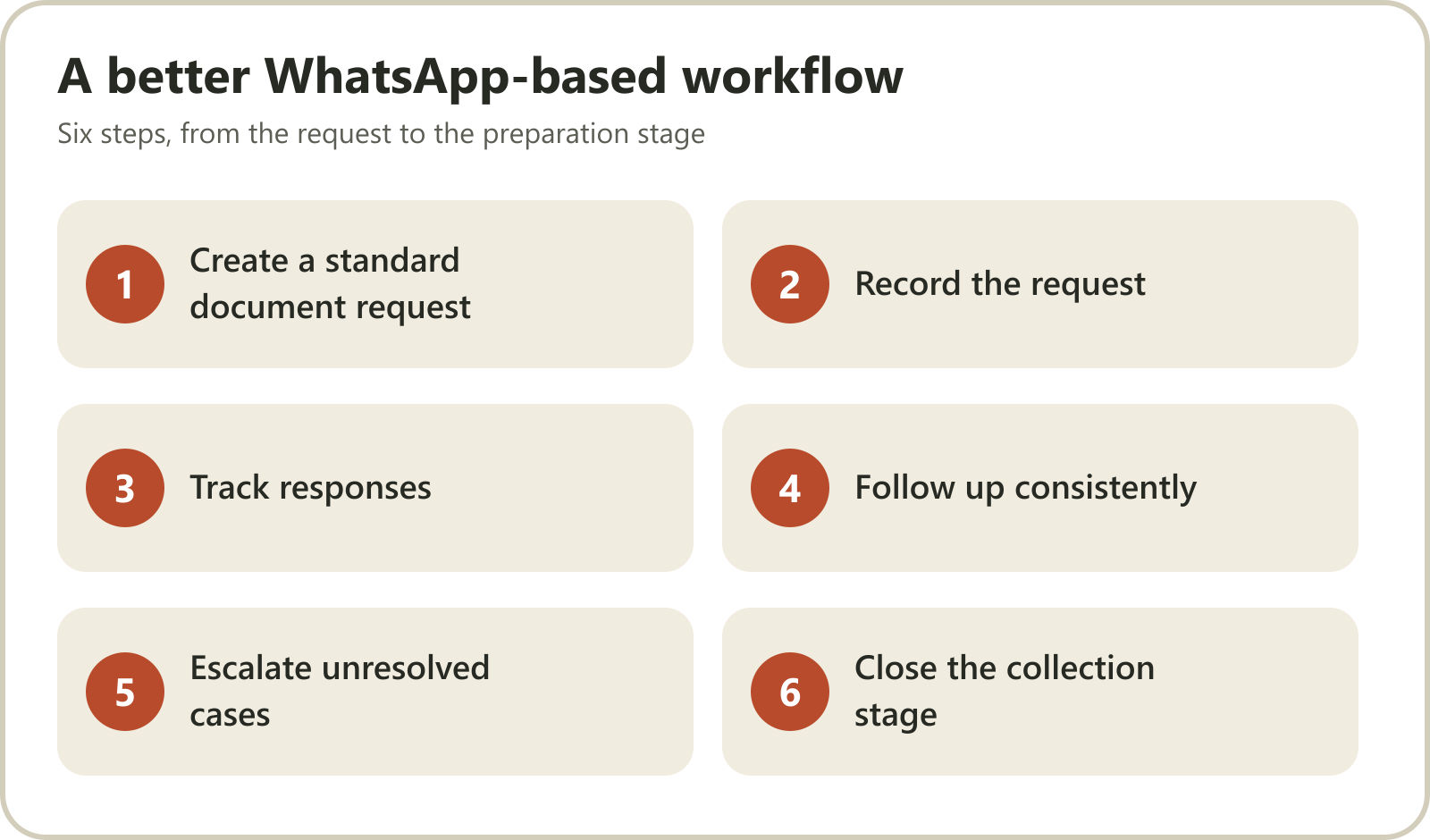
A better WhatsApp-based workflow
Step 1: Create a standard document request
The assigned employee sends the appropriate checklist to the client.
Step 2: Record the request
The employee updates the relevant client assignment with the request date and expected submission date.
Step 3: Track responses
As documents arrive, the employee records what has been received and what remains pending.
Step 4: Follow up consistently
The assigned employee follows the defined reminder schedule.
Step 5: Escalate unresolved cases
If the client has not responded or the deadline is approaching, the employee informs the manager.
Step 6: Close the collection stage
Once all required information is received and checked, the assignment moves to the preparation stage.
This approach makes WhatsApp part of a structured workflow instead of an isolated communication channel.
6. Automate repetitive follow-ups
As the number of clients grows, manual reminders become increasingly difficult to manage.
Suppose five employees each manage 50 clients.
That is 250 client relationships requiring regular communication.
If each employee has to remember every pending document request, the process becomes dependent on memory.
Automation can help by:
Reminding employees about pending client requests.
Creating recurring assignments.
Requesting employee progress updates.
Highlighting overdue work.
Escalating blocked assignments.
Giving managers visibility into pending work.
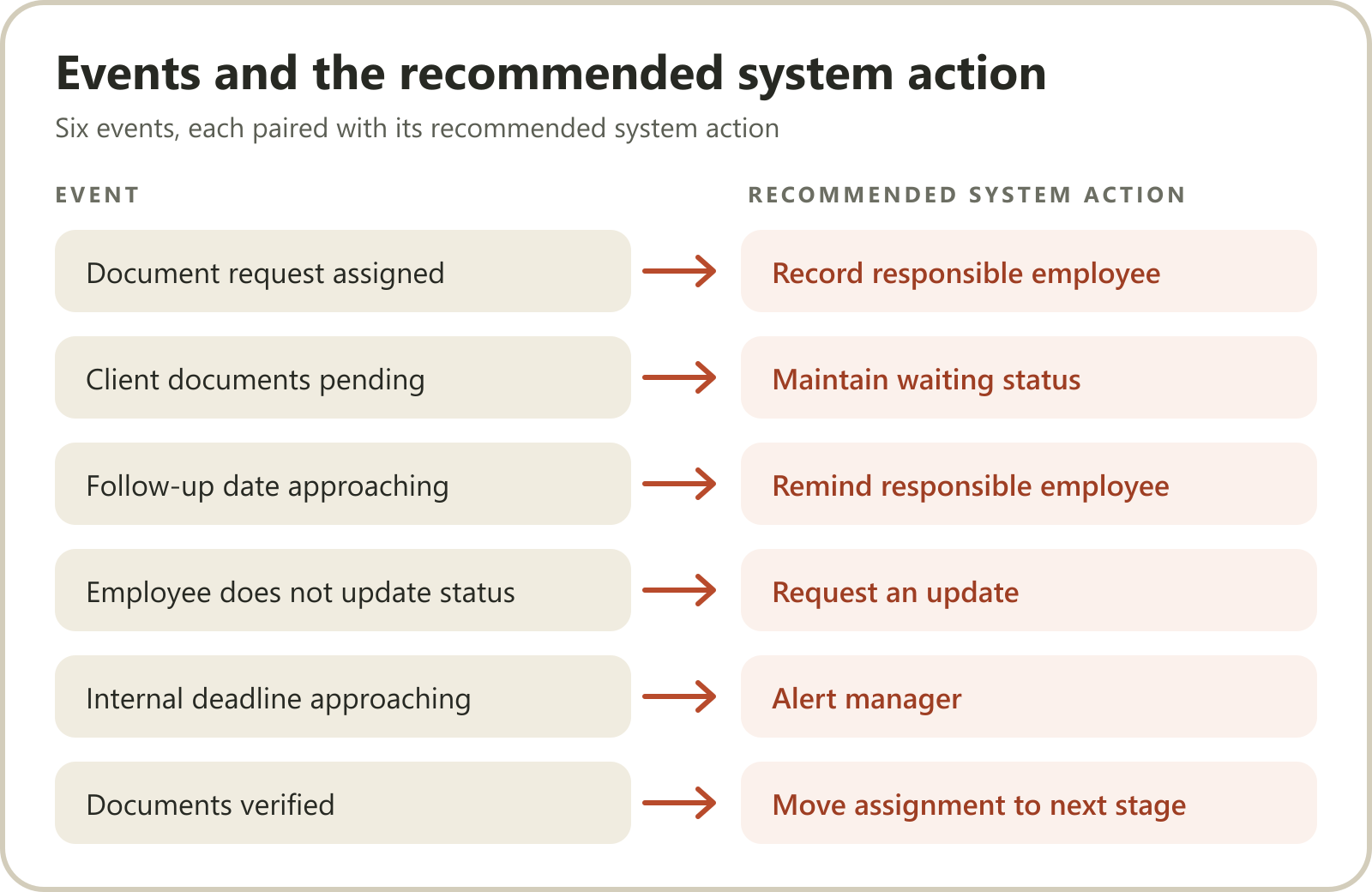
For example:
| Event | Recommended system action |
|---|---|
| Document request assigned | Record responsible employee |
| Client documents pending | Maintain waiting status |
| Follow-up date approaching | Remind responsible employee |
| Employee does not update status | Request an update |
| Internal deadline approaching | Alert manager |
| Documents verified | Move assignment to next stage |
There is an important distinction between automating an employee reminder and automatically sending a document request to a client.
Your software should explicitly support the relevant capability before you assume that a workflow is automated.
For sensitive client information, use appropriate access controls and secure storage rather than treating ordinary chat history as a permanent document repository.
7. Organise documents using a consistent folder structure
Receiving documents is only half the job.
The firm must also be able to find them later.
A simple folder structure can make a significant difference.
For example:
Client Name → Financial Year → Service → Document Category
Illustrative structure:
ABC Private Limited
│
├── FY 2026-27
│   │
│   ├── GST
│   │   ├── April
│   │   ├── May
│   │   └── June
│   │
│   ├── TDS
│   │   ├── Q1
│   │   ├── Q2
│   │   └── Q3
│   │
│   ├── Accounting
│   │
│   └── Income Tax
│
└── FY 2025-26
Use standard file naming conventions
Avoid generic names such as:
document.pdf
scan123.jpg
final.xlsx
Instead, use descriptive naming conventions.
Examples:
ABC_Sales_Register_April_2026.xlsxABC_Bank_Statement_April_2026.pdfABC_GST_Invoices_April_2026.zip
A consistent naming system improves retrieval and reduces confusion.
Establish document access controls
CA firms handle sensitive financial and personal information.
A document management process should consider:
Who can view documents?
Who can download them?
Who can modify or delete them?
How are documents shared externally?
How are backups maintained?
How are former employees' access rights revoked?
How long should records be retained?
Avoid sharing passwords, OTPs or unnecessary sensitive information through ordinary WhatsApp conversations.
Use appropriate secure channels for confidential documents and credentials.
8. Measure the performance of your document collection process
A well-designed system should help the firm understand where time is being lost.
Track these metrics:
| Metric | What it measures |
|---|---|
| Document collection completion rate | Percentage of required documents received |
| Average collection time | Time between initial request and receipt |
| Pending client count | Number of clients with missing documents |
| Follow-up frequency | Number of reminders required |
| First-request completion rate | Clients submitting everything after the initial request |
| Late submission rate | Clients submitting after the internal deadline |
| Blocked assignments | Work waiting for required information |
Example
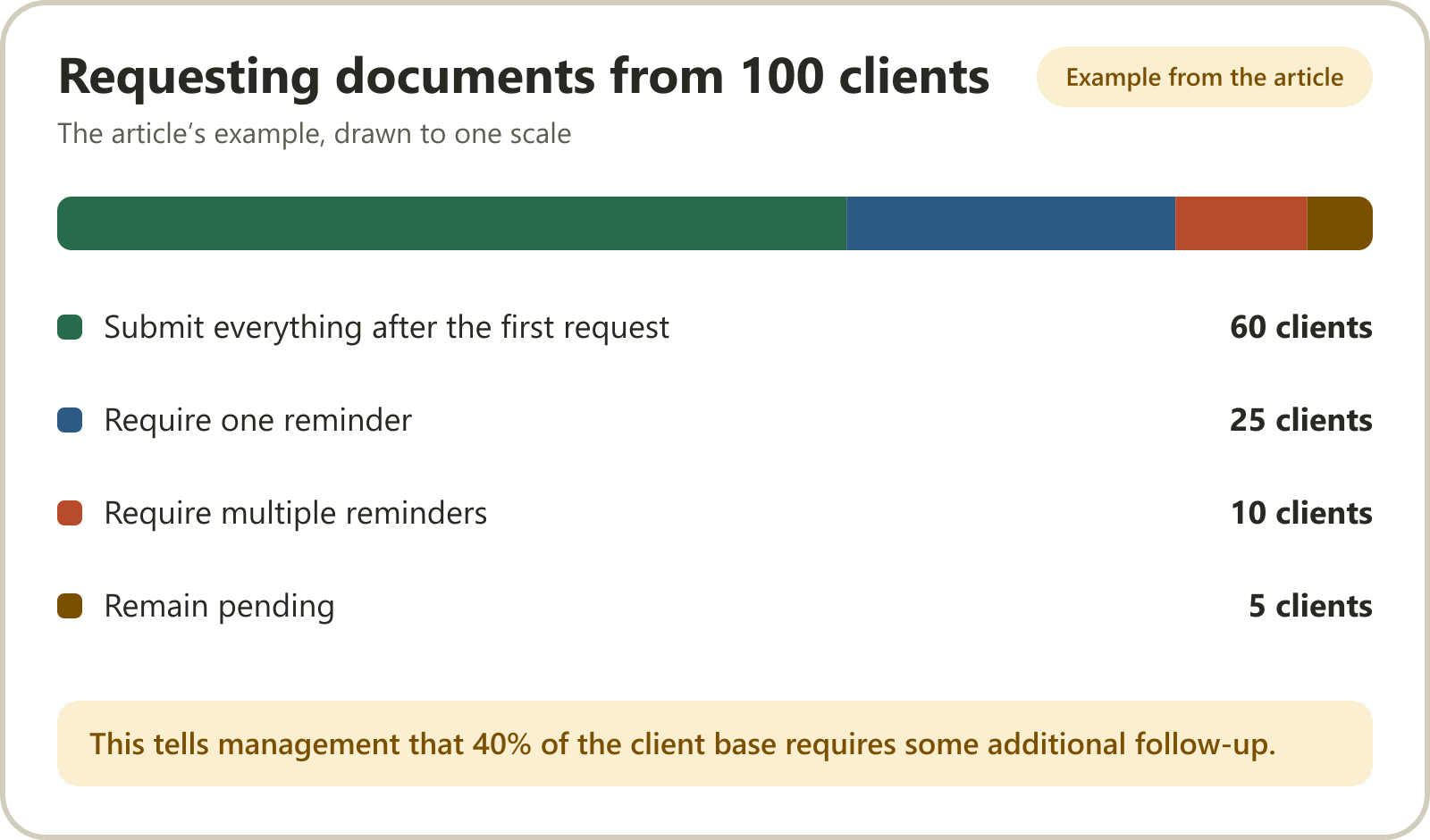
Suppose your firm requests documents from 100 clients.
60 clients submit everything after the first request.
25 clients require one reminder.
10 clients require multiple reminders.
5 clients remain pending.
This tells management that 40% of the client base requires some additional follow-up.
The firm can investigate why those clients are consistently delayed.
Perhaps the checklist is unclear. Perhaps the requests are sent too late. Perhaps certain clients need a different communication approach.
The goal is to improve the collection process over time.
9. Common document collection mistakes CA firms should avoid
1. Sending vague requests
Instead of asking clients to send all documents, provide a specific checklist.
2. Not assigning responsibility
Every client relationship and pending document request should have a responsible employee.
3. Sending reminders without checking previous responses
Always review what the client has already submitted.
4. Using inconsistent file names
Standardise naming conventions across the team.
5. Keeping documents in personal accounts
Use firm-controlled storage with appropriate permissions.
6. Waiting until the statutory deadline
Set internal document collection deadlines sufficiently ahead of the relevant filing deadline.
7. Failing to communicate missing information
If a document is incomplete or unclear, tell the client exactly what needs correction.
8. Treating document collection as a separate activity
Connect document requests to the actual client assignment, responsible employee and deadline.
This makes it easier to understand which assignments are ready to proceed.
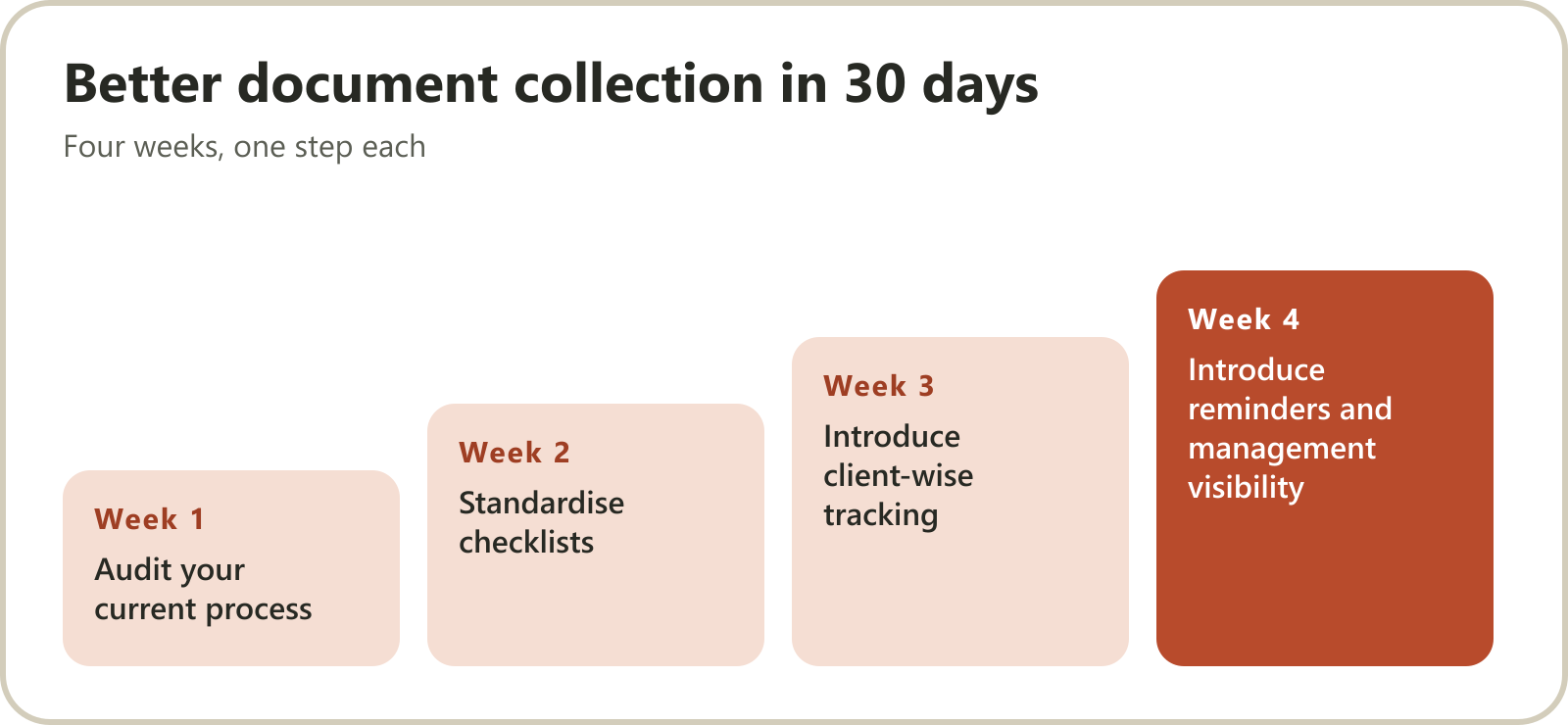
10. How to implement a better document collection system in 30 days
You don't need to change everything immediately.
Start with your most frequently performed services.
Week 1: Audit your current process
Identify:
How documents are currently requested.
Which channels clients use.
How employees track pending information.
Where documents are stored.
Which services experience the most delays.
Week 2: Standardise checklists
Create reusable checklists for GST, TDS, ITR, accounting and other common services.
Assign an employee responsible for maintaining each checklist.
Week 3: Introduce client-wise tracking
Create a central tracker with document status, employee ownership and follow-up dates.
Start with a manageable group of recurring clients.
Week 4: Introduce reminders and management visibility
Standardise employee follow-ups, automate supported reminders and review pending assignments.
Measure how many clients submit documents on time and where delays continue.
At the end of the month, improve the process based on actual results.
11. How Karyai helps CA firms manage document-related work
Document collection is not only about receiving files.
It is also about making sure someone in the firm is responsible for following up, tracking progress and moving the assignment forward.
This is where Karyai can support the internal workflow.
Karyai is an AI-powered practice management platform built around WhatsApp-based employee workflows and operational visibility.
AI-powered employee follow-ups
Managers can assign work and receive progress updates through WhatsApp.
Karyai's AI follow-ups help remind employees about pending assignments, reducing the need for managers to repeatedly ask for updates.
Client-wise task tracking
Track work against clients and deadlines.
For example, if an employee is responsible for collecting documents for a monthly GST assignment, the firm can track that assignment and its progress.
Recurring compliance checklists
Organise recurring GST, TDS, ITR and ROC work using structured checklists with assigned owners and deadlines.
Management visibility
Partners and managers can see what is pending, what is blocked and which employees are responsible.
Work logs and billing
Connect client work logs and GST billing with the firm's operational workflow.
The distinction is important: Karyai helps organise and follow up on the firm's internal work. It should not be mistaken for a specialised AI document-reading or automatic client-upload system.
Explore Karyai's CA practice management solution:
https://karyai.in/ca-practice-management-software
You can also explore its AI follow-up and task management features.
Bring one recurring client assignment to a 20-minute workflow demonstration and see how Karyai can help your team track the work around it.
Frequently Asked Questions
1. How do CA firms collect documents from clients efficiently?
CA firms can improve document collection by creating standard service-wise checklists, assigning employees to each client, maintaining a central document tracker and following a consistent reminder schedule. A structured process helps reduce repeated communication and missing information.
2. What documents should a CA collect from GST clients?
Depending on the client's business and assignment, a CA may need sales registers, purchase registers, invoices, credit and debit notes, e-way bill information and other relevant records. The exact checklist should be customised for each client.
3. How can CA firms automate document collection reminders?
Firms can use workflow software to schedule reminders, track pending requests and notify responsible employees when documents remain outstanding. Direct automated client messaging requires a system that explicitly supports that capability.
4. Is WhatsApp suitable for client document collection?
WhatsApp can be a convenient communication channel for document requests and routine coordination. However, firms should use appropriate secure storage, access controls and document management procedures for sensitive financial information.
5. How can CA firms track pending client documents?
Maintain a client-wise document tracker showing required documents, received documents, pending items, responsible employees and follow-up dates. A central dashboard can help managers identify delayed assignments.
6. What is the best document management system for a CA firm?
The right system should support client-wise organisation, financial-year tagging, secure storage, access permissions, easy retrieval, activity records and document retention. The best choice depends on the firm's size and requirements.
7. How can CA firms reduce delays in GST document collection?
Send document checklists early, establish internal collection deadlines, assign clear ownership and follow up on missing information consistently. Track document-level completion instead of relying on general client responses.
8. How does task management software help with document collection?
Task management software helps firms assign responsibility for document requests, track follow-ups, monitor pending assignments and escalate delays. It connects document-related activities with the actual client work being performed.
Final thoughts
A CA firm's productivity is influenced by much more than how quickly its employees prepare returns.
The quality of its document collection process also matters.
When requests are clear, responsibilities are assigned, documents are organised and follow-ups happen consistently, employees spend less time searching and chasing information.
Start with standard checklists, introduce client-wise tracking and gradually automate repetitive activities.
The ultimate objective is to stop managing document collection through memory and start managing it through a repeatable system.