How to Manage Tasks in a CA Firm: A Practical System for GST, TDS, ITR and Client Work
Running a Chartered Accountancy firm is not just about preparing financial statements, filing returns or providing tax advice. It is also about managing hundreds of small activities that must happen at the right time, for the right client, by the right person.
Consider a typical CA firm managing 300 clients and a team of 15 employees.
Every month, the firm needs to coordinate GST returns, TDS work, accounting, payroll, client document collection, audit assignments, tax consultations and several other activities.
Now imagine managing all of this through WhatsApp groups, Excel spreadsheets, phone calls and individual reminders.
A partner asks an employee for an update. The employee says the documents are pending. Nobody knows when the client was contacted last. Another employee assumes someone else is handling the assignment.
The problem is not necessarily a lack of hardworking employees.
The problem is the absence of a structured task management system.
A well-managed CA firm needs a reliable process to create, assign, track, review and close every piece of work.
In this guide, we will explain how to build such a system, how to organise recurring compliance work, how to improve employee accountability and how technology can simplify daily operations.
1. Why task management becomes difficult as a CA firm grows
A small CA practice can often function through personal supervision. The partner knows most clients, remembers important deadlines and communicates directly with employees.
But as the firm grows, this approach becomes increasingly difficult.
Several operational problems start appearing.
1.1 Work is scattered across multiple places
A client sends a document on WhatsApp. An employee records the assignment in Excel. The manager discusses its status over a phone call. The partner expects an update in a meeting.
The information exists, but it is distributed across different channels.
This creates three problems:
Employees struggle to find the latest instructions.
Managers cannot easily identify the current status of work.
Partners become dependent on individual employees for updates.
1.2 Recurring work is managed manually
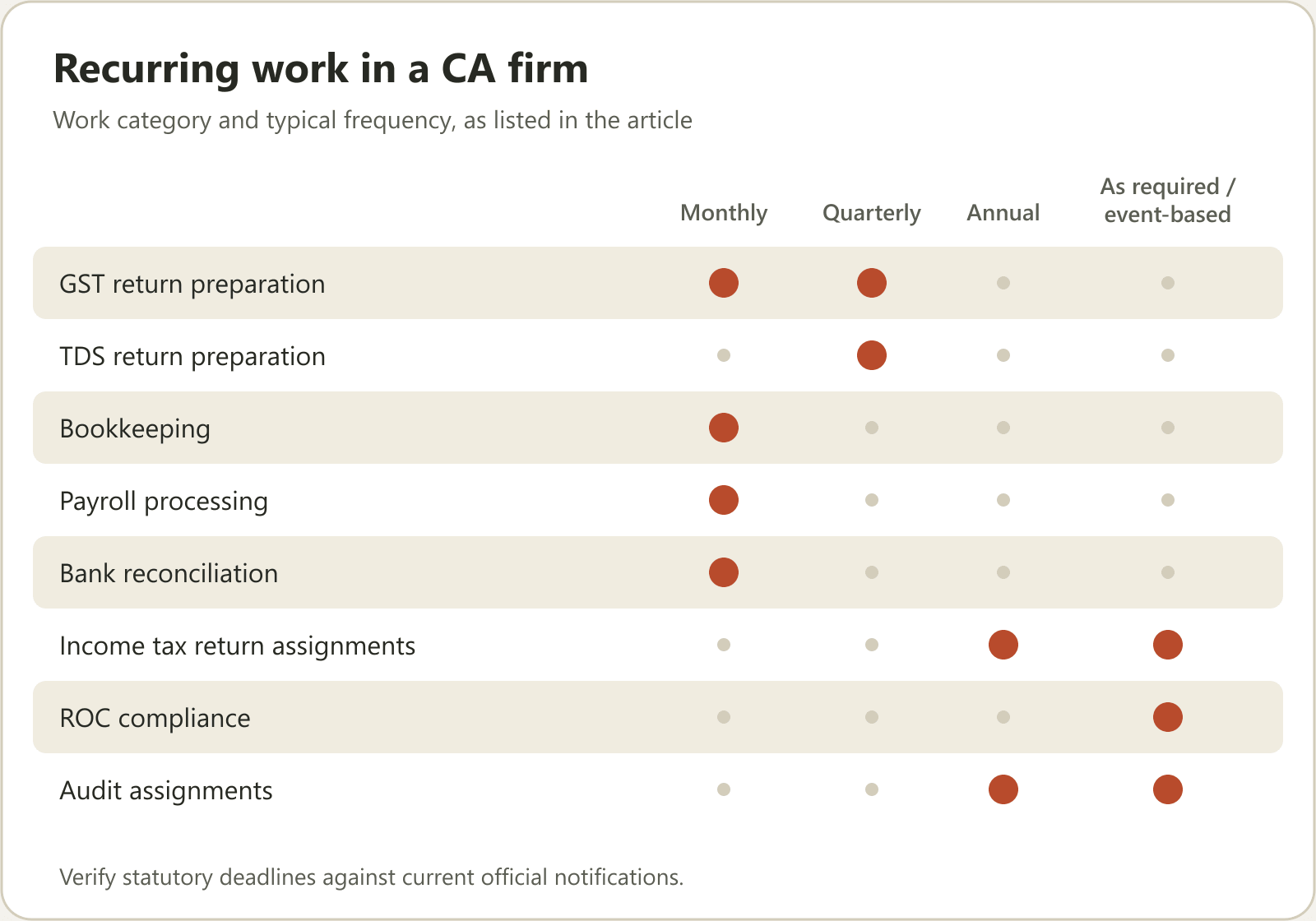
CA firms handle work that repeats every month, quarter or financial year.
For example:
| Work category | Typical frequency |
|---|---|
| GST return preparation | Monthly or quarterly |
| TDS return preparation | Quarterly |
| Bookkeeping | Monthly |
| Payroll processing | Monthly |
| Bank reconciliation | Monthly |
| Income tax return assignments | Annual or as required |
| ROC compliance | Event-based or periodic |
| Audit assignments | Annual or engagement-based |
If these assignments are recreated manually every cycle, the firm spends unnecessary time organising work instead of completing it.
1.3 Employees need constant follow-ups
Managers frequently ask:
Has the client shared the documents?
Has the reconciliation started?
Is the return ready for review?
Who is handling this assignment?
Why is this task still pending?
When these questions become part of everyone's daily routine, managers spend too much time chasing updates.
1.4 Partners lack operational visibility
A partner should be able to understand the overall condition of the firm without personally contacting every employee.
However, when task information is scattered, answering basic questions becomes difficult:
How many assignments are pending?
Which clients have not shared documents?
Which employees are overloaded?
Which assignments are overdue?
Which completed assignments are awaiting review?
This is why task management needs to become a formal operating process rather than an informal administrative activity.
2. Build a central task management system
The first step is to establish one reliable place where every assignment is recorded.
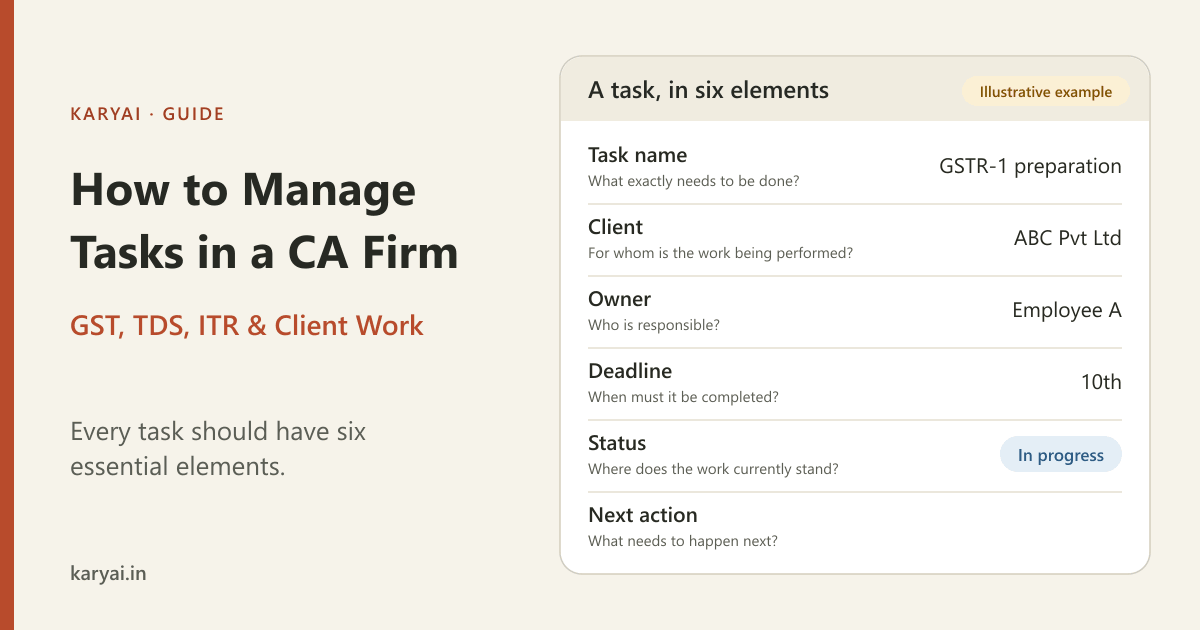
Every task should have six essential elements:
Task name: What exactly needs to be done?
Client: For whom is the work being performed?
Owner: Who is responsible?
Deadline: When must it be completed?
Status: Where does the work currently stand?
Next action: What needs to happen next?
For example:
| Task | Client | Owner | Deadline | Status |
|---|---|---|---|---|
| GSTR-1 preparation | ABC Pvt Ltd | Employee A | 10th | In progress |
| TDS working | XYZ Ltd | Employee B | 25th | Documents pending |
| Bank reconciliation | PQR LLP | Employee C | 15th | Completed |
| ITR documentation | Client D | Employee A | Assigned date | Awaiting documents |
These are illustrative assignments, not statutory due-date guidance.
The most important principle is simple:
Every assignment must have one clearly accountable owner.
Multiple employees may contribute to a task, but responsibility for moving it forward should be clear.
Without ownership, tasks easily become everyone's responsibility and nobody's responsibility.
3. Organise recurring GST, TDS and ITR work using templates
Recurring work is one of the biggest opportunities for improving operational efficiency in a CA firm.
Instead of creating every assignment from scratch, establish standard workflows for frequently performed services.
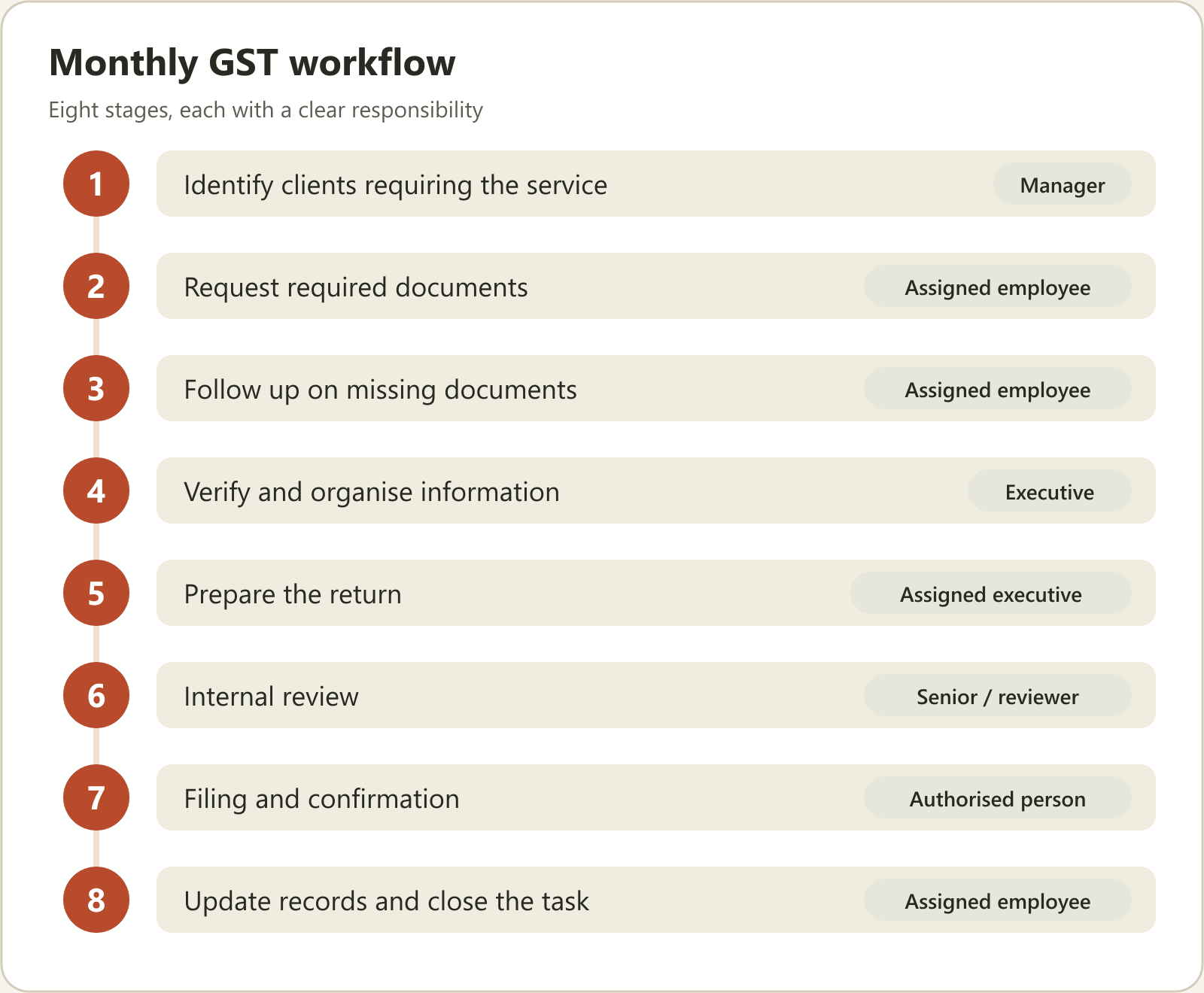
Example: Monthly GST workflow
A GST workflow can be divided into clear stages.
| Stage | Activity | Responsibility |
|---|---|---|
| 1 | Identify clients requiring the service | Manager |
| 2 | Request required documents | Assigned employee |
| 3 | Follow up on missing documents | Assigned employee |
| 4 | Verify and organise information | Executive |
| 5 | Prepare the return | Assigned executive |
| 6 | Internal review | Senior / reviewer |
| 7 | Filing and confirmation | Authorised person |
| 8 | Update records and close the task | Assigned employee |
This creates a repeatable process that employees can follow consistently.
Example: Quarterly TDS workflow
A standard TDS assignment can include:
Identify applicable clients.
Collect relevant information.
Reconcile deductions and payments.
Prepare the return.
Review the working.
Complete the filing through the firm's existing filing process.
Record acknowledgement and close the assignment.
The same approach can be applied to ITR, ROC, bookkeeping, payroll and audit-related work.
Create a master service checklist
A growing firm should maintain a central library of standard service templates.
For example:
| Service | Template |
|---|---|
| GST | Monthly GST checklist |
| TDS | Quarterly TDS checklist |
| Accounting | Monthly accounting checklist |
| Payroll | Monthly payroll checklist |
| ITR | Individual ITR checklist |
| ROC | Annual compliance checklist |
Templates reduce repeated administrative work and make it easier to train new employees.
They also help partners maintain consistency when different employees handle similar assignments.
4. Establish a clear task status system
One of the biggest mistakes firms make is using vague task statuses.
For example, an employee might say that work is almost complete, while the manager considers it pending.
A better approach is to create standard statuses that everyone understands.
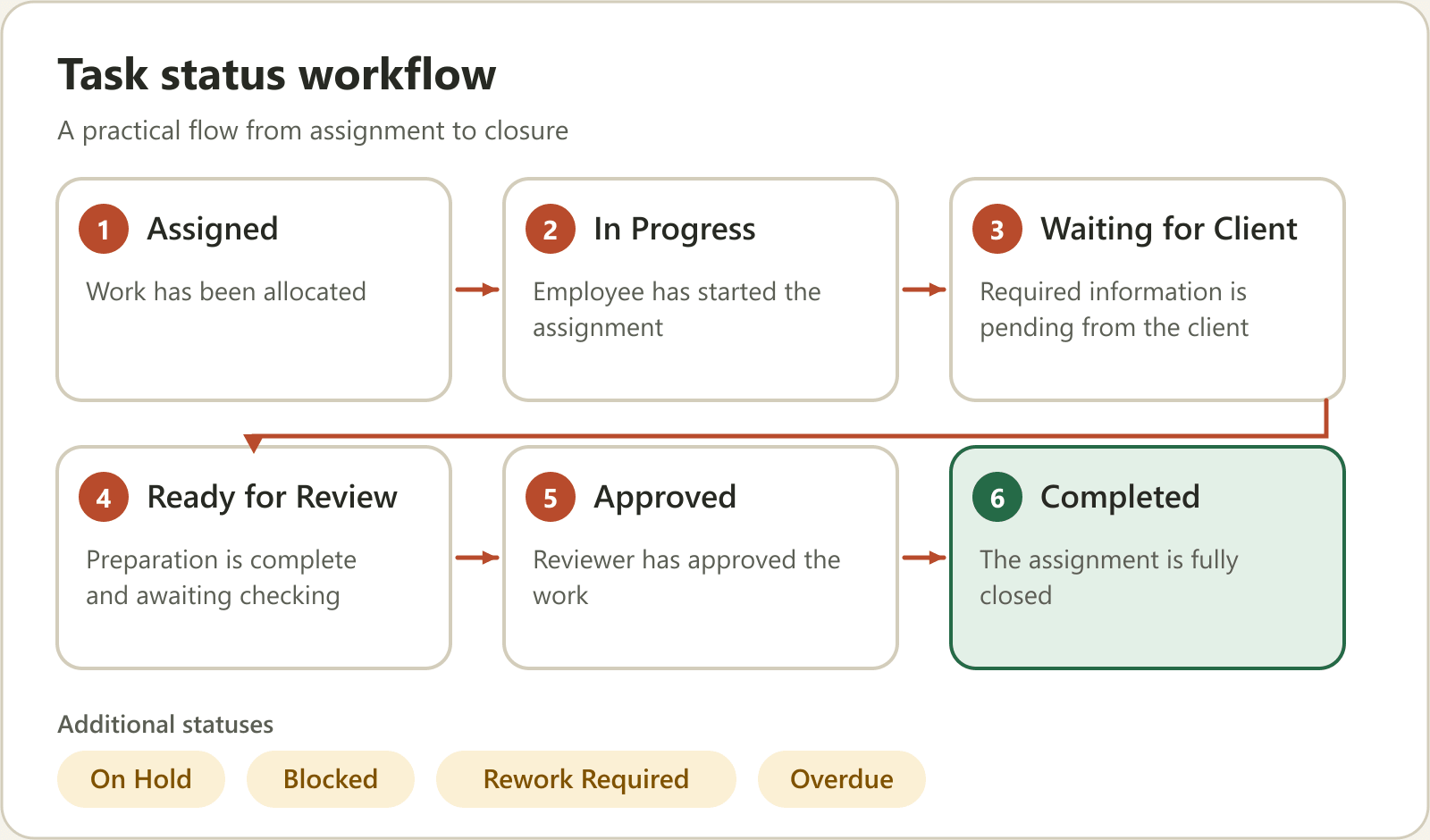
Here is a practical workflow:
Assigned → In Progress → Waiting for Client → Ready for Review → Approved → Completed
There can also be additional statuses such as:
On Hold
Blocked
Rework Required
Overdue
What each status should mean
| Status | Meaning |
|---|---|
| Assigned | Work has been allocated |
| In Progress | Employee has started the assignment |
| Waiting for Client | Required information is pending from the client |
| Ready for Review | Preparation is complete and awaiting checking |
| Approved | Reviewer has approved the work |
| Completed | The assignment is fully closed |
| Blocked | Progress cannot continue due to an identified issue |
The important thing is to define these statuses clearly and ensure the entire team follows the same process.
A task should not be marked completed merely because an employee has finished preparing it. Where internal review is required, that step should also be recorded.
5. Introduce employee accountability without micromanagement
Employee accountability is essential, but constantly asking employees for updates is not a sustainable management strategy.
A better system makes responsibility and progress visible.
Consider two different approaches.
Traditional approach:
The manager sends messages throughout the day asking employees about pending work.
Structured approach:
Every employee knows:
What they need to complete.
Which client the assignment belongs to.
When it is due.
What is currently pending.
When an update is expected.
Managers can then focus on exceptions rather than repeatedly checking every assignment.
Use a simple daily update format
Employees should be able to communicate progress in a consistent format.
For example:
Daily work update
Completed: 4 assignments
In progress: 3 assignments
Waiting for clients: 2 assignments
Blocked: 1 assignment
Support required: Review of one GST reconciliation
This gives managers a clearer picture of what is happening.
The objective is not to monitor every minute of an employee's day.
It is to ensure that important work does not disappear between assignment and completion.
6. Automate employee follow-ups and reminders
This is where technology can make a significant difference.
In a firm with 20 employees, a manager may have to follow up on dozens of assignments every day.
If the process depends entirely on manual reminders, it becomes difficult to scale.
A task management system should support:
Automatic reminders before deadlines.
Follow-ups on pending assignments.
Notifications when tasks become overdue.
Escalations when work remains blocked.
Notifications when an employee submits an update.
For example:
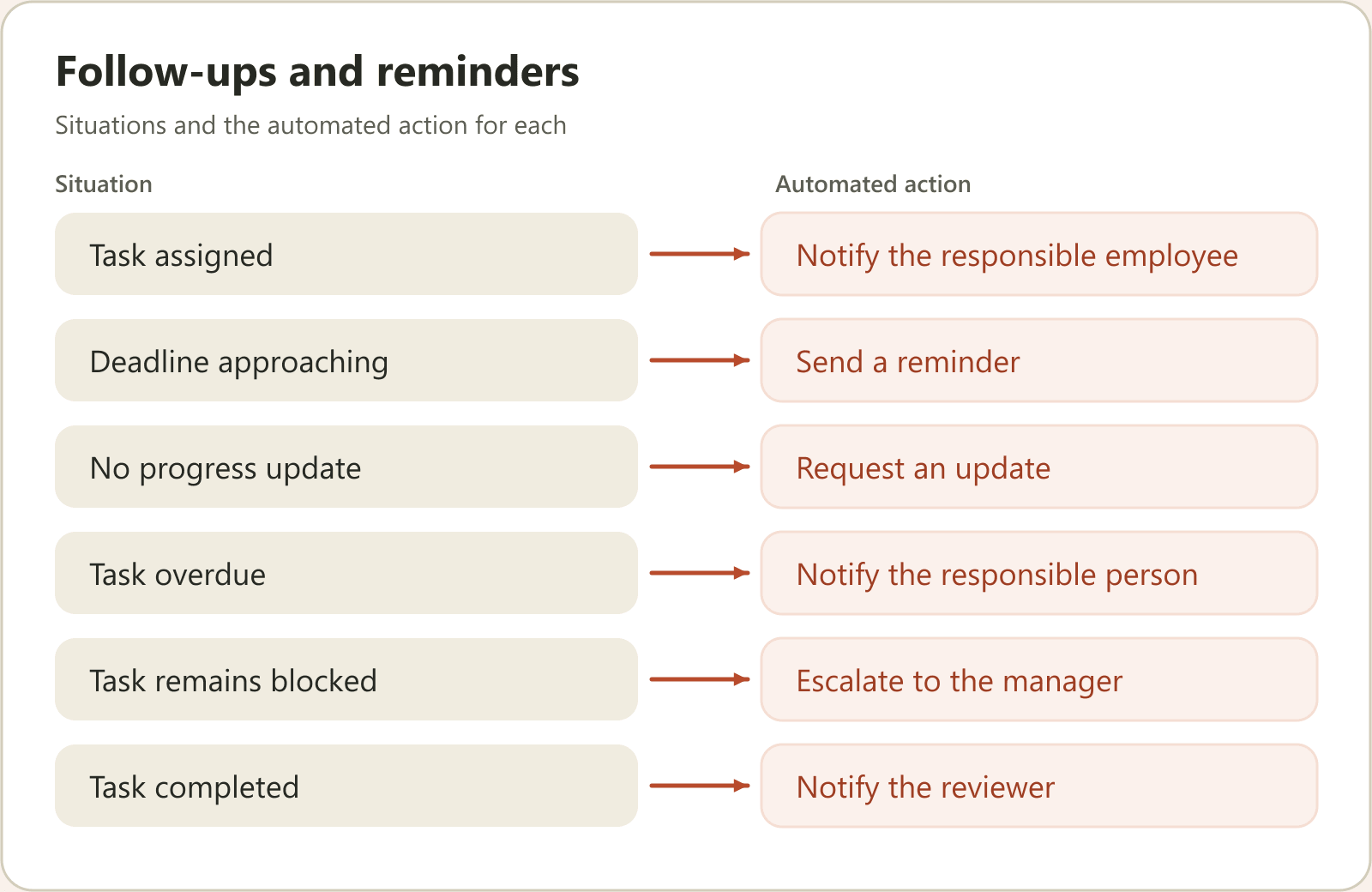
| Situation | Automated action |
|---|---|
| Task assigned | Notify the responsible employee |
| Deadline approaching | Send a reminder |
| No progress update | Request an update |
| Task overdue | Notify the responsible person |
| Task remains blocked | Escalate to the manager |
| Task completed | Notify the reviewer |
Why WhatsApp-based workflows can help
Employees in many Indian firms already communicate through WhatsApp.
Introducing another application sometimes creates an additional adoption challenge.
A WhatsApp-first workflow can reduce this friction by allowing employees to receive task instructions and submit updates through a familiar communication channel.
AI can also help request updates, interpret employee responses and record task progress, depending on the capabilities of the software being used.
The important distinction is that automation should support accountability, not replace professional review or judgement.
7. Create a management dashboard for partners
Partners should not have to ask ten different employees to understand the condition of the firm.
A useful management dashboard should answer five important questions.
A. What is pending?
See the total number of open assignments across the firm.
B. What is overdue?
Identify assignments that have crossed their deadlines.
C. Who is responsible?
Understand which employees own specific assignments.
D. What is blocked?
Identify work waiting for client documents, clarification, approval or another dependency.
E. What is completed?
Track finished work and assignments awaiting final review.
A simple management scorecard could look like this:
| Metric | Example |
|---|---|
| Total open tasks | 120 |
| Completed this week | 85 |
| Overdue tasks | 12 |
| Waiting for clients | 18 |
| Awaiting review | 5 |
Illustrative figures only.
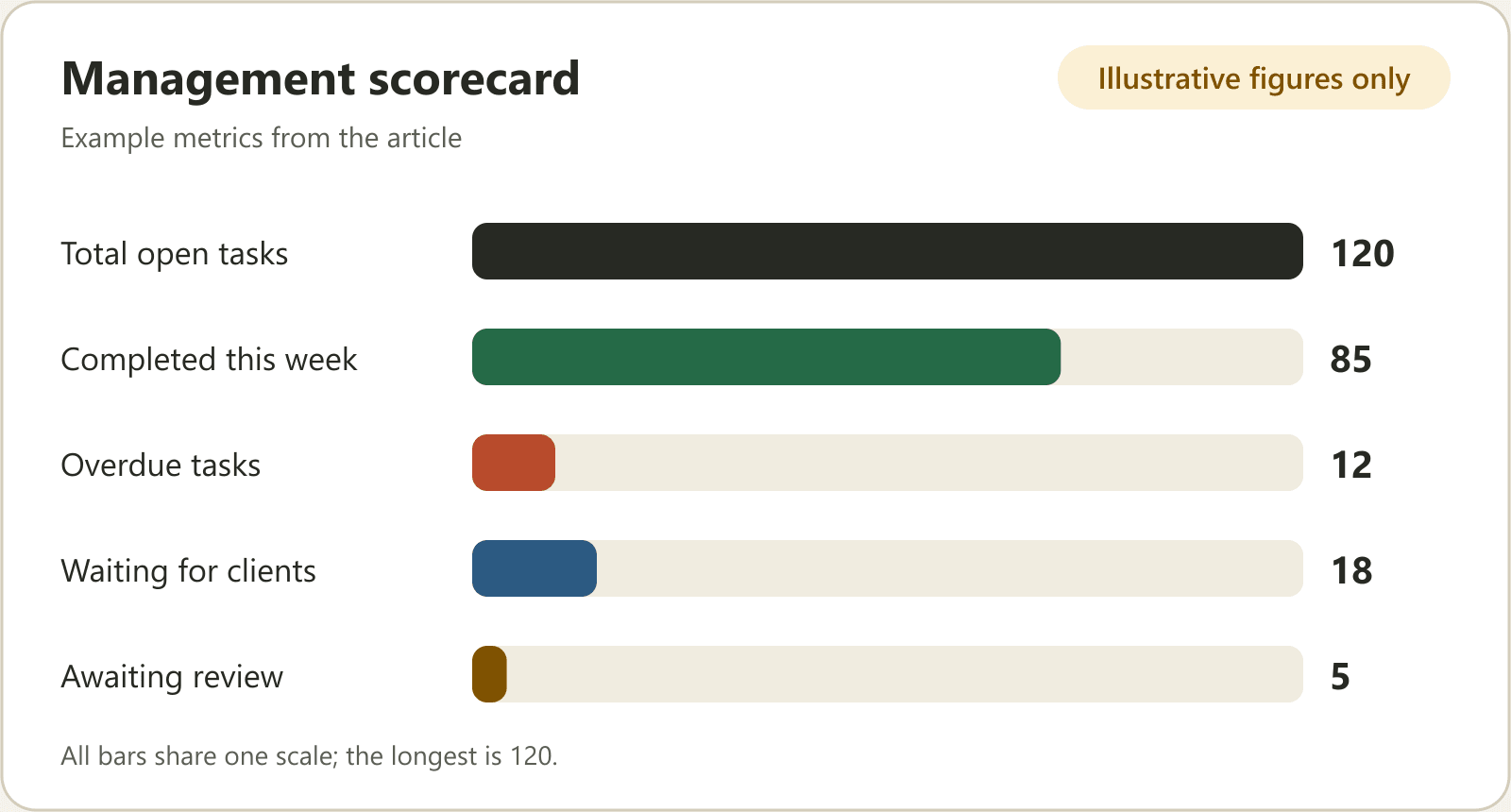
The goal is to create visibility, not to judge employees solely by the number of tasks completed.
Different assignments have different levels of complexity. Quality, deadlines, client communication and review requirements must also be considered.
8. Measure the right productivity metrics
A CA firm's productivity should not be measured only through employee attendance or the number of hours spent in the office.
The following metrics provide a more meaningful operational picture.
| KPI | What it tells you |
|---|---|
| Task completion rate | How much assigned work gets completed |
| On-time completion rate | Whether work is delivered within deadlines |
| Overdue task count | Where work is getting delayed |
| Average task turnaround time | How quickly assignments move |
| Client document waiting time | How much work is blocked by clients |
| Review turnaround time | How efficiently managers review work |
| Workload per employee | How assignments are distributed |
| Rework rate | How often completed work needs correction |
For example, if an employee completes 40 tasks while another completes 20, that does not automatically mean the first employee is more productive.
The assignments may differ significantly in complexity.
A good management system should consider both quantity and quality.
9. Common task management mistakes CA firms should avoid
Even firms using management software can struggle if their underlying processes are poorly designed.
Here are seven mistakes worth avoiding.
1. Assigning work without deadlines
Every assignment should have a realistic completion date.
2. Giving the same task to multiple employees without clear ownership
Collaboration is useful, but accountability must remain clear.
3. Treating every task as equally important
Use priorities to distinguish urgent work from routine assignments.
4. Creating recurring work manually
Use templates and recurring schedules wherever appropriate.
5. Marking tasks completed before review
Preparation and approval are different stages.
6. Depending entirely on verbal updates
Important work information should be recorded in the task system.
7. Measuring productivity only through hours or task counts
Evaluate delivery, quality, turnaround time and workload together.
10. How to implement a task management system in your CA firm
You do not need to transform your entire organisation overnight.
A phased implementation is generally more practical.
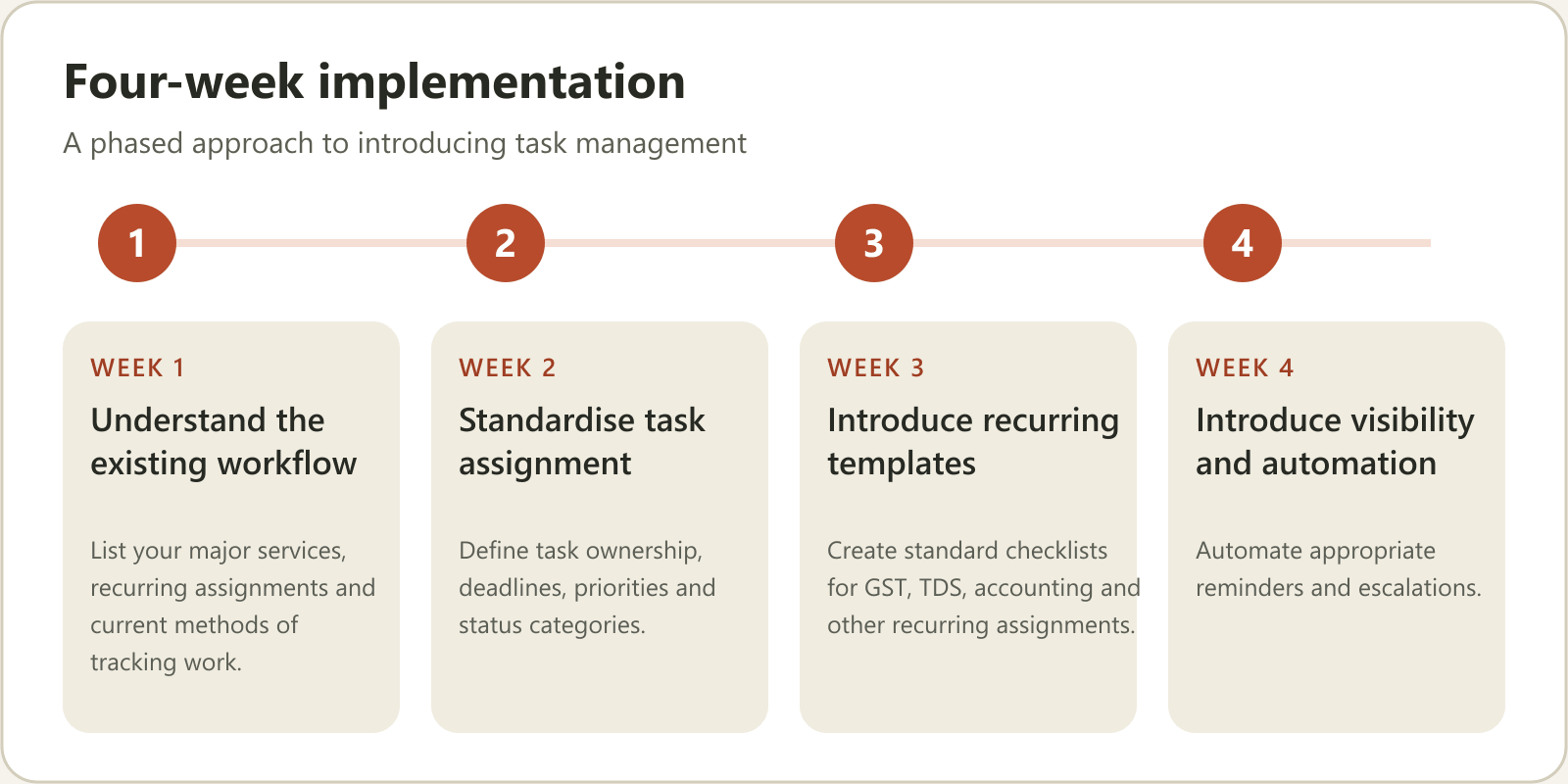
Week 1: Understand the existing workflow
List your major services, recurring assignments and current methods of tracking work.
Identify where delays and communication gaps occur.
Week 2: Standardise task assignment
Define task ownership, deadlines, priorities and status categories.
Start with your most frequently performed services.
Week 3: Introduce recurring templates
Create standard checklists for GST, TDS, accounting and other recurring assignments.
Train employees to follow the same process.
Week 4: Introduce visibility and automation
Start tracking pending work, overdue assignments and employee updates through a central system.
Automate appropriate reminders and escalations.
Review the process weekly and improve it based on actual team experience.
The objective is to build a system that works consistently even when the partner is not personally supervising every assignment.
11. How Karyai helps CA firms manage tasks and follow-ups
Building an efficient task management system is easier when the software supports the way your team already works.
Karyai is an AI-powered practice management platform designed for Indian professional firms, including CA and CS practices.
Its approach is particularly useful for firms where employees already communicate extensively through WhatsApp.
Manage tasks through WhatsApp
Employees can receive assignments and communicate updates through WhatsApp instead of having to adopt another application for everyday task interactions.
Automate employee follow-ups
Karyai uses AI-powered WhatsApp follow-ups to request progress updates and escalate work that is not moving.
Organise recurring client projects
Create structured recurring workflows for services such as GST, TDS, ITR and ROC-related work, with assigned owners and deadlines.
Track work and billing
Connect client work logs, GST invoicing, receipts and outstanding amounts.
Manage attendance and people operations
Use location-checked attendance, leave workflows and an exportable month-end salary sheet.
Give partners greater operational visibility
Use management web views and role-aware summaries to understand the status of work.
Karyai was developed from operational experience inside a real CA firm with 43 employees across seven cities and more than 100 client projects created every month.
Rather than forcing employees to change their everyday communication habits, its WhatsApp-first approach aims to make task updates part of their existing workflow.
Explore Karyai: https://karyai.in/ca-practice-management-software
You can also explore the dedicated task management solution for CA firms.
Bring one recurring assignment or follow-up problem to a complimentary 20-minute workflow demonstration and see how Karyai handles it.
12. Frequently Asked Questions
1. How do CA firms manage daily tasks efficiently?
CA firms can manage daily tasks through a central system that records assignments, clients, responsible employees, deadlines and task statuses. Standardised workflows, recurring templates and regular progress updates help reduce confusion and improve accountability.
2. Which is the best way to track employee work in a CA firm?
Use a task management system that records work ownership, deadlines, progress, completion and review status. Managers should also track overdue work, workload distribution and assignments waiting for client documents.
3. How can CA firms manage recurring GST and TDS tasks?
Create standard service templates with defined activities, responsible employees, internal deadlines and review stages. Use recurring schedules to organise work for each client and period. Verify statutory deadlines against current official notifications.
4. Can WhatsApp be used for task management in a CA firm?
Yes. WhatsApp can be used as an employee communication interface when supported by a structured system that records assignments, updates and follow-ups. A WhatsApp-first management platform can help reduce the need for employees to switch between multiple applications.
5. How can a CA partner reduce daily employee follow-ups?
Standardise task assignment, introduce expected update schedules, automate reminders and use management dashboards to identify pending and blocked work. This allows partners to focus on exceptions instead of asking every employee for routine updates.
6. What features should task management software for CA firms include?
Important features include task assignment, client-wise work tracking, deadlines, recurring schedules, reminders, employee updates, workload visibility, review workflows and management reporting.
7. Is Excel sufficient for managing a growing CA firm?
Excel can work for small teams and simple tracking requirements. However, as client numbers, employees and recurring assignments increase, maintaining multiple spreadsheets and manually updating statuses becomes difficult. A structured task management platform can provide better visibility and automation.
8. Does Karyai file GST, TDS or ITR returns?
No. Karyai helps organise the recurring work around these compliance activities through tasks, owners, checklists and deadlines. Actual return preparation and filing remain with the firm's existing process.
Conclusion
A well-managed CA firm does not depend on a partner remembering every deadline or a manager repeatedly asking employees for updates.
It operates through a structured system where every assignment has an owner, every deadline is visible, every update is recorded and every completed task follows the appropriate review process.
Start by organising your recurring work, standardising task ownership and improving employee communication.
Then introduce automation wherever it genuinely reduces administrative effort.
The goal is simple: Build a CA firm that runs on systems, not constant supervision.